Quick answer: can you use VidMate in a web browser?
The first-party VidMate pages checked on July 30, 2026 promote an Android APK and list version 6.0229, updated July 21, 2026. They do not provide an official browser page where you paste any video URL and download the file without installing the app. Search results using names such as VidMate Web, VidMate online, or VidMate web downloader may be independent services, copied download pages, or unrelated products. Treat them separately from the Android app and never assume that a matching name proves official ownership.
Official website
Explains the Android product and sends users to an APK download flow.
Browser tool
No first-party paste-a-link VidMate web downloader was found during this check.
Safe decision
Verify the domain, product type, privacy terms, and requested permissions before continuing.
What people usually mean by VidMate Web
The phrase VidMate Web is ambiguous. Some searchers want the official VidMate website, some want to download the Android APK, and others expect an online downloader that works like a web form. Those are three different tasks, and mixing them creates the main safety problem around this keyword.
The official VidMate source page describes an Android application, supported media sites, installation steps, and an APK release. Its current listing shows version 6.0229 with an update time of July 21, 2026. The page does not show a universal browser input box for pasting a link, choosing a format, and receiving a downloadable result without the Android app.
This means a site can use the words VidMate online while still being only an APK landing page. It can also be a separate web downloader with no verified relationship to VidMate. Read the page purpose before clicking: look for whether it offers an Android installer, a browser service, an advertisement redirect, or merely instructions.
| Search goal | What you should expect | Best matching page |
|---|---|---|
| Find the official VidMate website | Product information and official APK flow | First-party VidMate source page |
| Use VidMate without installing an app | No verified first-party browser tool found | Use a platform's own save/offline feature when available |
| Download the Android app | Version, update date and installation guidance | Official source page fallback |
| Fix an APK or download problem | Troubleshooting and permission checks | A dedicated VidMate safety or platform guide |
How to identify the real VidMate website
Start with the exact domain, not the logo or page title. Copied sites can reproduce colors, icons, screenshots, download counters, and words such as official or latest. A first-party page should have a consistent domain across the product page, download flow, privacy information, and support links.
Next, check whether the product description matches what you are being asked to install. VidMate is presented as an Android APK. A page that suddenly asks you to install a desktop browser extension, Windows executable, configuration profile, or unrelated mobile app is offering a different product and needs separate verification.
Finally, avoid treating a changing CDN link as a permanent official file address. The official download button can resolve to a rotating delivery URL, and standalone requests may be blocked. For that reason, this site uses the stable official source page as the download fallback instead of publishing a guessed or temporary APK direct link.
Check the domain
Open the known first-party page directly and avoid lookalike spelling, extra subdomains, or ad redirects.
Confirm the product
The page should clearly describe the Android app and the same version information throughout the download flow.
Review the destination
If a button opens a different product, extension, subscription, notification prompt, or login form, stop.
Use the official page fallback
When a stable APK direct link cannot be independently verified, use the official download page and inspect the Android installer details.
VidMate online versus the Android app
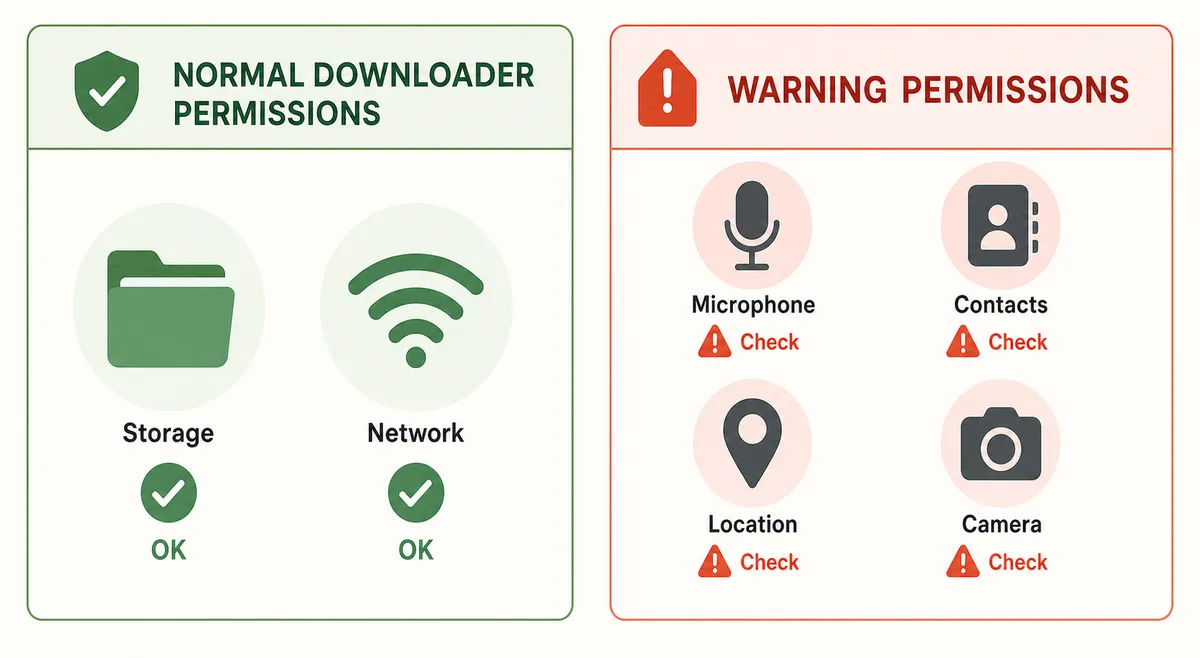
A browser service and an installed Android app have different security boundaries. A web tool can see the URLs and files you submit to it, while an installed app can request storage, notification, network, media, and other Android permissions. Neither format is automatically safer; the important question is whether the permissions and data use are proportionate to the feature.
The Android app can integrate with local storage and download management, but installation from outside Google Play requires extra caution. A browser tool avoids APK installation, yet an unknown site may track submitted links, push misleading notifications, open advertising chains, or request account credentials it does not need.
Do not sign in to a social account through an unverified downloader. If content requires authentication, use the platform's official app or website and its built-in save, bookmark, or offline option. A downloader should not need your password merely to process a public URL.
Safer browser alternatives when you do not want an APK
If your goal is simply to watch something later, begin with the platform's own Save, Watch Later, bookmark, playlist, or licensed offline feature. These options preserve account controls, creator restrictions, quality rules, and regional availability better than an unknown download page.
For files you own or are authorized to download, use the original publisher's download button, a shared cloud-storage link, a podcast or music service's offline mode, or a browser's normal file download. These routes are easier to verify because the source and file purpose are clear.
If you still evaluate a third-party web downloader, do not upload private links, personal videos, paid content, or URLs containing access tokens. Read its privacy policy, retention rules, supported domains, copyright process, and deletion policy. Leave if the service requires notification permission, an extension, an executable, or repeated redirects before it explains the result.
- Use official platform save or offline features first.
- Download only content you own or have permission to save.
- Never submit private URLs, session links, or account credentials.
- Reject browser notification prompts that are unrelated to the task.
- Close pages that rotate through multiple unrelated download buttons.
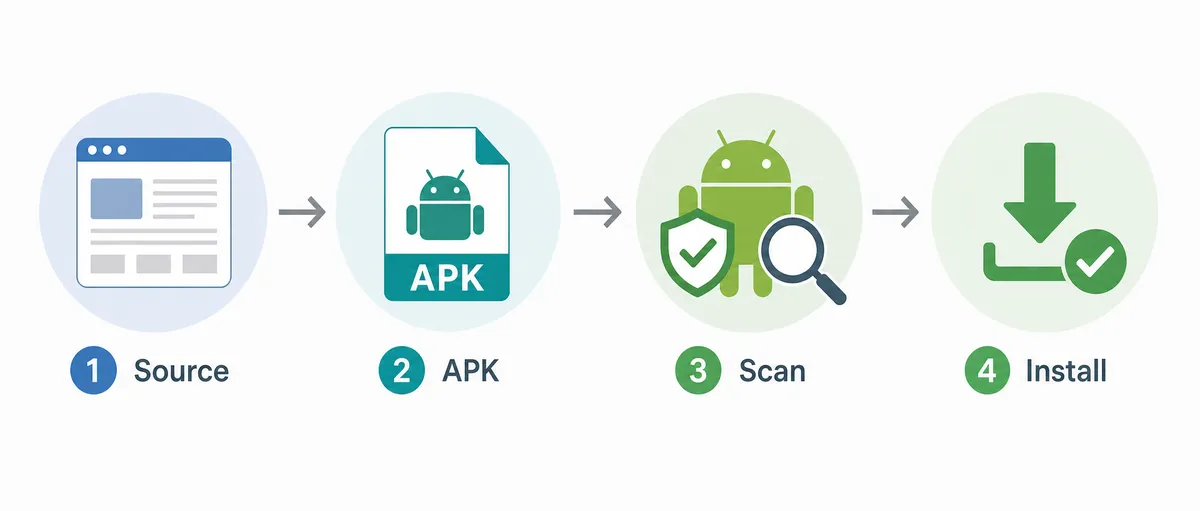
- Scan downloaded files and confirm the expected file type before opening them.
If you need VidMate, use the Android source carefully
The verified source information for this update is VidMate version 6.0229 with an official page update time of July 21, 2026. The source page does not publish a dependable file-size value. Its download button currently leads through a delivery endpoint that can change and may reject direct automated requests, so this guide does not claim a stable APK file URL.
Open the official source page, compare the displayed version with the Android installer screen, and review the app name, package identity, requested permissions, and update context before installation. Cancel if the installer presents a different app, a lower or unexplained version, unusual device-admin access, accessibility control, or permissions unrelated to media downloading.
Keep Android security protections enabled. Installing an APK from outside a store changes the trust decision from the store to you. A familiar name is not enough; the source path, installer identity, permissions, and later update behavior must remain consistent.
Red flags on fake VidMate web pages
Leave a page if it claims to be the official VidMate web app but cannot identify the publisher, product platform, privacy policy, or support channel. Other warning signs include fake progress bars, countdowns that restart, several identical Download buttons, notification requests before any result, and redirects to unrelated games, cleaners, VPNs, subscriptions, or browser add-ons.
Be especially cautious with pages that ask for Google, Facebook, Instagram, TikTok, or payment credentials. Public-link processing does not require an account password. A legitimate service should also explain supported sites, file handling, limits, and legal restrictions before asking you to submit sensitive information.
If you already enabled notifications, installed an extension, or downloaded an unexpected file, revoke the permission, remove the add-on, delete the file without opening it, run the device's security scan, and change credentials only if you entered them on the suspicious page.
Privacy, copyright, and platform rules still apply
Whether you use an app or a browser, downloading does not override copyright, subscription conditions, privacy rights, or a platform's terms. Save only material you created, material licensed for download, or content for which the rights holder has given permission.
Do not use a downloader to bypass paywalls, access controls, regional restrictions, digital rights management, or private-account protections. For social posts, consider whether the video includes identifiable people, children, private conversations, location information, or other data that should not be copied or redistributed.
This guide is an independent informational resource and is not VidMate. Product names are used to help users distinguish the Android app, the official source page, and unrelated web services.
Official sources checked
Use first-party pages to verify the product and current release before following a download flow.
Related VidMate guides
VidMate Web FAQ
Use the official source, not a copied web label
VidMate Web searches often mix the official website, the Android APK, and unrelated browser downloaders. Verify which product a page actually offers. If you need VidMate itself, use the stable official source page, confirm version 6.0229 and the installer details, and avoid any page that asks for unrelated extensions, notifications, credentials, or payments.
Open the official VidMate source page