Quick answer
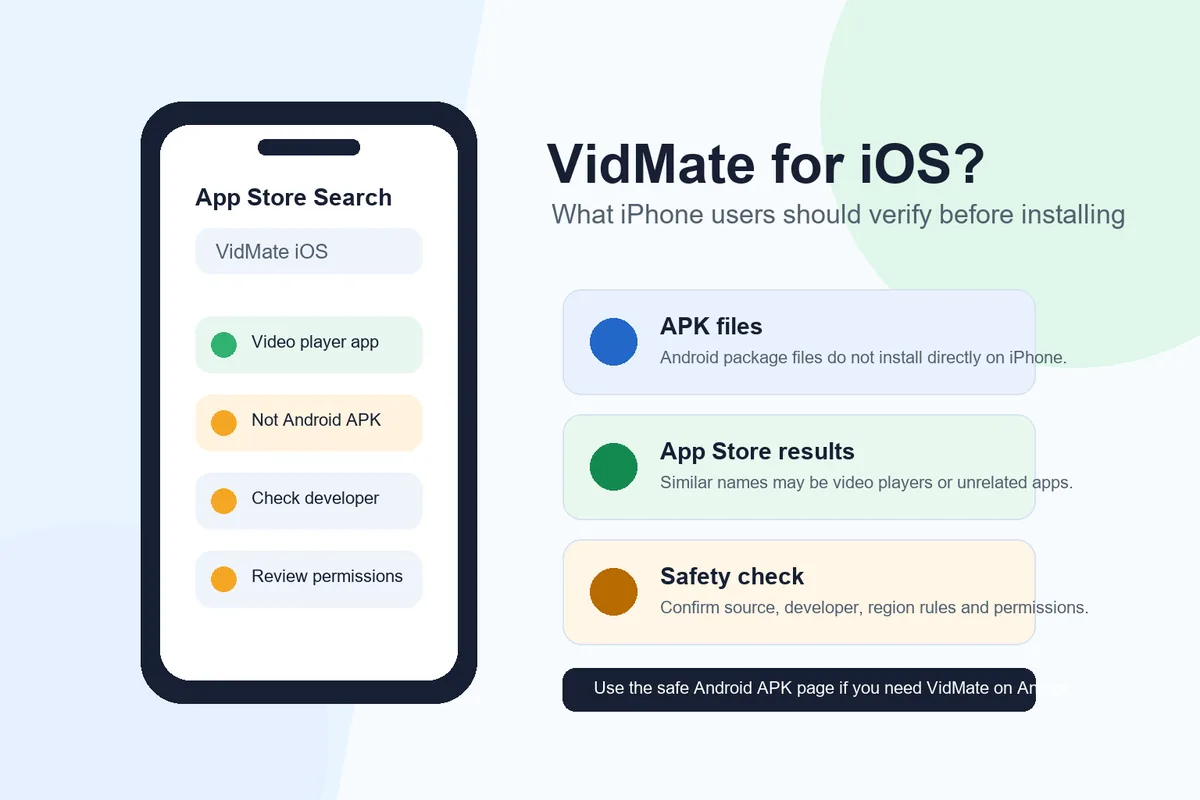
VidMate is primarily an Android APK, and an APK file cannot be installed directly on iOS. If you see a VidMate result in the App Store, check whether it is actually the Android-style VidMate downloader or a different video player, file manager, or similarly named app. For iPhone, the safer path is to use App Store apps, platform-approved offline features, or a legal web workflow instead of trusting random iOS download pages.
APK is Android
VidMate APK files are Android packages, not iPhone installation files.
Check listings
Some App Store results use similar names but may not provide the same VidMate downloader.
Avoid risky claims
Pages promising one-tap VidMate iOS APK installs often skip important safety details.
Is VidMate available for iOS?
For most searches around VidMate for iOS, the useful answer is no: the Android VidMate APK does not install directly on an iPhone or iPad. iOS and Android use different app packages, security models, permission flows, and store review rules. A file ending in APK is built for Android, so tapping it on iPhone will not install the app the way it does on an Android phone.
This is where search results get confusing. You may find pages that say VidMate for iPhone, VidMate APK for iOS, VidMate iOS download, or VidMate App Store. Some of those pages are educational guides. Others are download funnels that do not clearly explain whether the app is official, what file type is being installed, or which developer is responsible for it.
If you only want VidMate on an Android device, use the Android APK download and installation guide. If you are on iPhone, treat the iOS search as a compatibility question first, not as a normal download task. The right decision depends on whether the app is a real App Store app, an alternative marketplace app in your region, or a website making claims it cannot support.
Why a VidMate APK cannot install directly on iPhone
An APK is an Android application package. iPhone apps use Apple's iOS app format and are normally installed through the App Store. In some regions, Apple also supports alternative app distribution, but that still does not mean an Android APK becomes installable on iOS. The app still needs to be made, signed, distributed, and supported as an iOS app.
This difference matters because many questionable pages use the word APK next to iOS. That wording should make you pause. A page can explain Android APK details for context, but it should not imply that an APK file is the same as an iPhone app. If a site asks you to download profiles, certificates, unknown configuration files, or unrelated apps before you can get VidMate, the risk is much higher than a normal App Store installation.
The simplest check is the file type and install path. If the file is an APK, it belongs on Android. If the route is the App Store, verify the seller, category, features, privacy information, and reviews. If the route is an alternative marketplace, verify that alternative app distribution is available in your country or region and that the marketplace itself is legitimate.
How to evaluate VidMate App Store results
Seeing a VidMate-like name in the App Store does not automatically prove that it is the Android VidMate downloader you expected. Similar names can be used by unrelated video players, media organizers, browser utilities, or subscription apps. Some may be legitimate apps for a different purpose; others may rely on brand confusion to attract searches.
Before installing, read the App Store listing like a checklist. Confirm the seller name, feature description, supported devices, subscription terms, age rating, privacy section, screenshots, recent update history, and user reviews. If the app description talks mainly about playing local videos, managing files, or removing ads through a subscription, it may not be a VidMate-style online video downloader.
This distinction protects both your device and your expectations. A video player can be useful, but it will not necessarily download videos from YouTube, TikTok, Facebook, Instagram, or other platforms. A downloader claim also needs to be checked against local law and each platform's terms. Do not install an app only because its title contains a familiar word.
- Check whether the listing is from a recognizable developer rather than only a familiar name.
- Read the feature list and confirm whether it says video player, file manager, browser, or downloader.
- Review in-app purchases and subscription pricing before starting a trial.
- Look for privacy details and avoid apps that request unrelated permissions.
- Do not install configuration profiles or certificates from unknown pages just to get an app.
What about sideloading or alternative app marketplaces?
Sideloading is often mentioned in VidMate iOS articles, but it is not a magic compatibility layer. Installing apps from outside the App Store depends on your region, iOS version, Apple rules, marketplace availability, and the app package itself. In supported regions, alternative app distribution still requires a compliant iOS app and a trusted distribution path.
For users outside regions where alternative app distribution is available, most web pages that promise an instant VidMate iOS sideload should be treated carefully. They may ask for extra apps, browser permissions, profiles, VPN steps, or account actions that are not necessary for a normal App Store install. If the page cannot explain who signs the app, how updates work, and how to remove it, do not proceed.
Even where alternative distribution is available, you still need to evaluate the source. Check whether the marketplace is recognized, whether the app is notarized or reviewed under the relevant Apple process, whether updates are delivered through the same marketplace, and whether the app's privacy behavior is clear. Convenience is not enough when the app handles downloads, storage, media files, or browsing activity.
| Path | What it means | Risk level | Best use |
|---|---|---|---|
| Android APK | Android package file, not installable on iPhone | High if advertised for iOS | Android phones and tablets |
| App Store app | Reviewed iOS app with a visible seller and privacy section | Lower when listing is clear | iPhone users who want a store-managed app |
| Alternative marketplace | Region-dependent iOS distribution outside the App Store | Medium to high depending on source | Advanced users in supported regions |
| Random web profile | Configuration profile or certificate from an unknown page | High | Avoid unless you fully trust the source |
Safer alternatives for iPhone users
If your goal is offline viewing on iPhone, start with platform-approved options. YouTube Premium, Netflix, Disney+, Spotify, Apple Music, and many other services offer offline saving inside their own apps where licensing allows it. These downloads are usually encrypted inside the app, but they are safer and more predictable than unsupported downloader claims.
For personal files, use iCloud Drive, Files, VLC-style media players, or cloud storage apps that are clearly listed in the App Store. If you own the video or have permission to store it, a file-management workflow is often more stable than trying to force an Android downloader onto iOS. For social media clips, use the official save, bookmark, or download options when the platform provides them.
If you also own an Android phone, the cleanest VidMate workflow is to use VidMate on Android and transfer only lawful personal files to iPhone through a computer or cloud storage. Keep copyright, local law, and platform terms in mind. VidMate is a downloader, but whether a specific video may be downloaded depends on the content rights and the service rules.
Decide what you need to save
Separate licensed streaming downloads, personal media files, social clips, and copyrighted videos because each category has different rules.
Use official offline features first
When a platform offers offline viewing inside its iOS app, use that before looking for third-party downloaders.
Choose App Store tools for personal files
For files you own, use reputable file managers, cloud storage, or media players with clear privacy information.
Use Android for VidMate-specific tasks
If you need VidMate itself, install the Android APK on an Android device and transfer only files you are allowed to keep.
When to avoid a VidMate iOS download page
Avoid any VidMate for iOS page that hides the developer, does not explain why an APK is being offered to an iPhone user, forces multiple redirects, asks you to disable security settings, or promises an official iOS app without linking to a credible App Store or marketplace source. These are signs that the page is built for clicks rather than user safety.
Be especially careful with pages that say mod, unlocked, premium free, no verification, certificate install, or profile install. Those words do not always mean malware, but they do mean you need stronger proof before trusting the download. If the page cannot show a clear install source, update path, privacy explanation, and removal steps, it is not worth the risk.
A trustworthy guide should be willing to say no when the answer is no. For iPhone users, the most accurate answer is that VidMate APK is an Android app, and iOS requires a different app distribution path. That answer may be less exciting than a download button, but it prevents wasted time and risky installs.
Authoritative references
Use official Apple sources to understand iOS installation rules and App Store review expectations before trusting a VidMate iOS claim.
Related VidMate guides
VidMate iOS FAQ
Need VidMate itself? Use the Android guide
For iPhone, focus on safe iOS alternatives and App Store checks. For the standard VidMate app, use the Android APK path and verify version, file size, source, and permissions before installing.
Open VidMate APK Download Guide