早わかり
VidMate MOD APKは通常のクリーンなAPKより高リスクとして扱うべきです。公開後に改変されている可能性があり、広告なし、プレミアム解除、クラック、パッチ済みといった表現は、コード、更新経路、権限、インストーラー動作の確認を難しくします。
MODは改変を意味する
アイコンやバージョン表示が見慣れていても、改変APKはアプリの動作を変える可能性があります。
広告なしの主張は証拠にならない
広告を削除すると、コード変更、再パッケージ化、追加トラッカー、更新不具合が発生する場合があります。
より安全な方法を選ぶ
インストール前に、配布元、ファイルの同一性、Androidの警告、権限を確認してください。
VidMate MOD APKとは通常何を意味するか
VidMate MOD APKは、通常のAndroidパッケージを改変したものとして紹介されることが多いです。広告なし、プレミアム解除、パッチ済み、クラック版、無制限、標準APKより高速といった表現が使われます。魅力的に見えますが、そのファイルが元の開発者が公開したパッケージと同じではない可能性も示しています。
重要なのは検証できるかどうかです。クリーンなAPKなら、配布元ページ、バージョン、ファイルサイズ、インストーラー名、Androidの権限画面を比較できます。改変APKでは、誰かがパッケージ、リソース、署名、追加コードを変更している可能性があるため、これらの手掛かりの信頼性が下がります。
このページはMODダウンロードを提供しません。MODの約束がリスクに見合うかを判断し、実際の目的がAndroidにVidMateを入れることなら、より安全なルートを選ぶためのガイドです。
クリーンなVidMate APKとVidMate MOD APKの違い
クリーンなAPKと改変APKは検索結果では似て見えることがありますが、安全性の境界は異なります。クリーンなAPKは、期待されるアプリIDと分かりやすい更新経路を保つべきです。MOD APKは、コード変更、広告削除、機能解除、パッケージ情報の変更、説明しにくい権限要求を含む可能性があります。
Androidでの信頼は複数の層で成り立ちます。アプリ名だけでなく、ファイルを配布したページ、再パッケージした人物、スマートフォンに届くまでのすべての変更を信頼することになります。
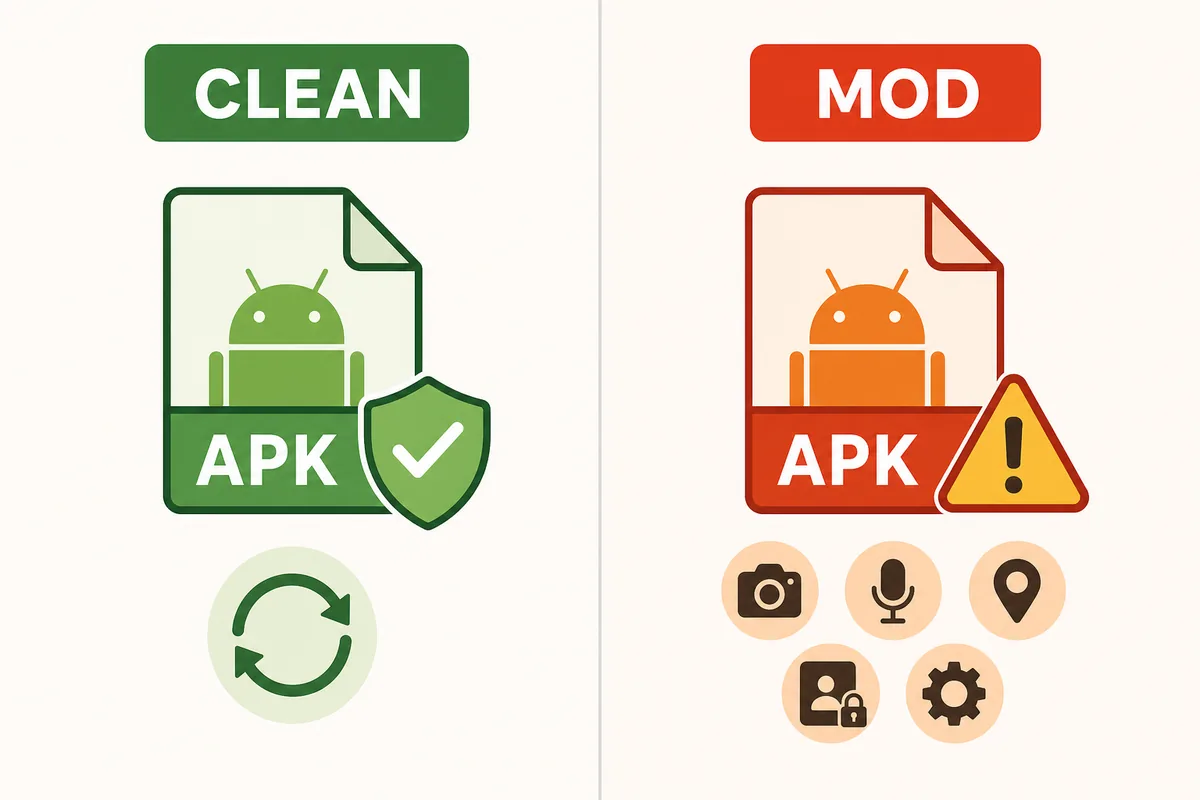
| 判断項目 | 安全なVidMate APK | VidMate MOD APK | 対応 |
|---|---|---|---|
| ファイルの同一性 | バージョン、サイズ、インストーラー表示は配布元ページと一致している必要があります | 再パッケージ化後に表示ラベルが変更される可能性があります | インストール前に比較する |
| 更新経路 | 今後の更新を確認しやすい | 更新に失敗したり、無関係なミラーから提供されたりする可能性があります | 予測可能な更新が必要なら避ける |
| 権限 | ダウンローダーの権限は目に見える機能と一致している必要があります | 追加権限が加えられたり、主張の裏に隠されたりする可能性があります | 関係のない要求なら拒否またはアンインストール |
| 広告なしの約束 | 広告や通知は通常のアプリ動作の一部です | 広告の削除にはコード変更が必要な場合があります | 広告なしを安全性の利点と考えない |
広告なし・プレミアムAPKページの危険サイン
リスクの高いAPKページには共通パターンがあります。強いメリットを先に見せ、ファイル詳細の前にダウンロードボタンを置きます。プレミアム解除、広告なし無料、クラック、パッチ済み、anti-banなどを約束しながら、バージョンや配布元を説明しないページは避けるべきです。
互換性の主張にも注意してください。MODページは、本当は最新APK、旧バージョン、PCエミュレーター手順、iPhone向けの答えが必要なユーザーまで取り込もうとします。1つの改変ファイルで全てを解決すると見せるページは、あなたの本当の問題と合わないことが多いです。
- Play Protectやすべてのウイルス対策チェックを無効にする必要があると説明するページを避ける。
- VidMateの前にダウンローダー、クリーナー、VPN、無関係なアプリをインストールするAPKパッケージを避ける。
- パッケージ名、インストーラー表示、バージョン、サイズがページと一致しないファイルを避ける。
- Android APKをiPhoneに直接インストールしたり、App Storeアプリの代わりにできるという主張を避ける。
- クラッシュ、強い広告、予期しない権限要求が報告されているコメント欄やミラーを避ける。
インストール前の安全な判断フロー
どのAPKでも、配布元、ファイルID、スキャン結果、権限確認の4点を使います。1つでも失敗したら、別のミラーを信用して補うのではなく、自分の目的に合うページへ戻りましょう。
たとえば広告が理由でVidMate MOD APKを探した場合、安全な答えが必ず広告なしAPKとは限りません。現在のクリーンAPKを使う、Androidの通知設定を調整する、別の合法的な方法を選ぶ方がよい場合があります。最新版が端末で動かないなら、MODパッケージではなく旧バージョンガイドの方が適しています。
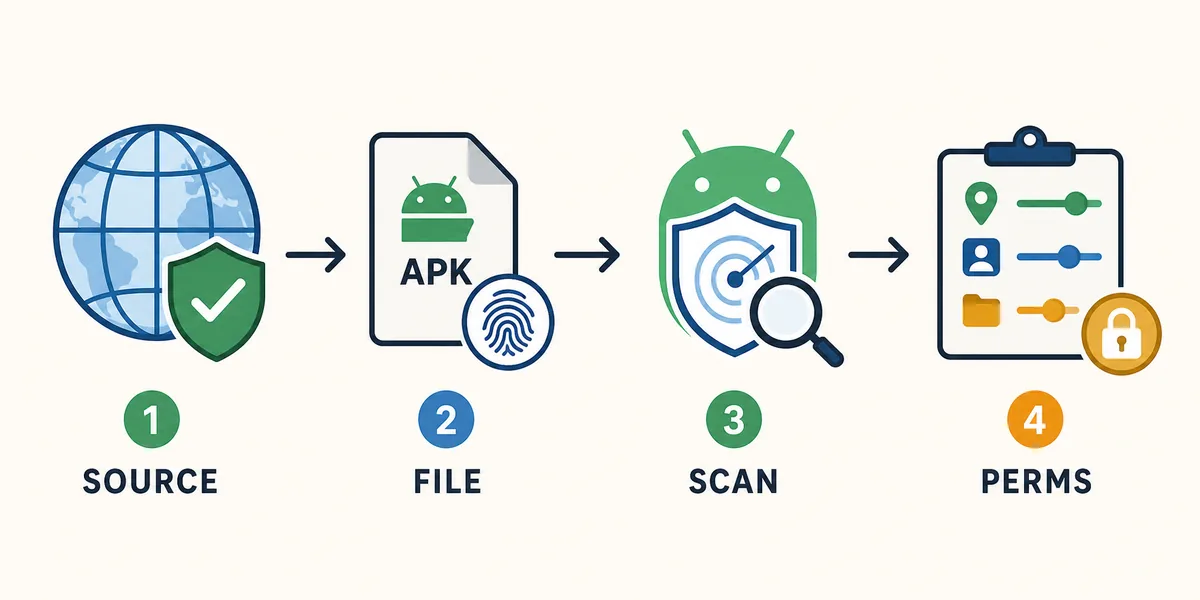
配布元を確認
ページにはバージョン、ファイルサイズ、Android要件、このAPKが提供される理由を説明させる。
ファイルの同一性を確認
ファイル名、インストーラー表示、パッケージの動作、ページの説明が一致している必要があります。
Androidの警告を尊重
特に改変APKの主張を確認するときは、Play Protectとブラウザのセキュリティ警告を有効にしておく。
権限を慎重に確認
ダウンローダー関連の権限は、連絡先、SMS、ユーザー補助、端末管理者へのアクセスよりも説明しやすい。
VidMate MOD APKより安全な代替手段
最適な代替手段は、なぜMODを探したかで変わります。現在のアプリが欲しいならメインのAPKページ、Google Play検索で迷ったならPlay Storeガイド、古い端末で戻したいなら旧バージョンガイドを使います。5.3602のような特定番号が必要なら、ランダムなパッチ済みファイルではなく専用ガイドを確認してください。
これらのルートを分けることで、クリーンAPKで足りるのに改変ファイルを入れる、互換性や安全性の質問なのに適当な旧版を使う、という2つの失敗を避けられます。
| 実際の目的 | 使うべきページ | より安全な理由 |
|---|---|---|
| 現在のAndroid APKをインストール | VidMate APKダウンロードページ | 通常の最新版利用という目的から始められる |
| Google PlayでVidMateが見つからない | VidMate APK Playストアガイド | ストアの混乱とサイドロード時の確認を説明する |
| 古いスマートフォンでロールバックが必要 | VidMate APK旧バージョンガイド | 互換性とMODの主張を分けて確認できる |
| 5.3602ビルドが必要 | VidMate 5.3602ガイド | バージョンの同一性とインストール確認に焦点を当てる |
| VidMateが安全か分からない | VidMateは安全?ガイド | 権限、配布元の信頼性、警告を確認する |
すでにVidMate MOD APKを入れた場合
すでに改変APKを入れて動作が不自然なら、まずリスクを下げます。新しい権限を許可せず、Android設定でアプリ権限を確認し、予期しない挙動があればアンインストールします。その後、Play Protectまたは信頼できるモバイルセキュリティツールでスキャンしてください。
すぐに別のランダムなMODを入れ直さないでください。同じリスクを繰り返すだけです。目的を見直し、このサイトの該当ガイドを選び、配布元とAndroid警告が納得できる場合だけクリーンAPKのルートを使いましょう。
- Androidの設定で不自然な権限を確認し、取り消す。
- 強い広告、不明な通知、説明のつかない要求が表示されたら改変アプリをアンインストールする。
- Play Protectまたは信頼できるモバイルセキュリティスキャンを実行する。
- アンインストール後、不明なミラーからダウンロードしたAPKファイルを削除する。
- バージョンとファイルの詳細を明示する配布元からのみ再インストールする。
公式の安全参考情報
これらのAndroidおよびGoogleの公式情報は、アプリのスキャンと不明な提供元からのインストール管理を説明します。
関連するVidMate安全ガイド
VidMate MOD APKに関するよくある質問
まとめ
VidMate MOD APK検索は、広告なし、プレミアム、クラック、パッチ済みといった約束につながりがちです。だからこそ慎重さが必要です。より安全なインストールは、明確な配布元、一貫したファイルID、有効なAndroidスキャン、動画ダウンローダーに合った権限確認から始まります。
クリーンAPKのルートを使う