빠른 답변
VidMate MOD APK는 일반적인 깨끗한 APK보다 더 높은 위험으로 봐야 합니다. 배포 후 파일이 수정되었을 수 있으며, 광고 없음, 프리미엄 잠금 해제, 크랙, 패치 같은 문구는 코드, 업데이트 경로, 권한, 설치 동작을 검증하기 어렵게 만듭니다.
MOD는 변조를 의미함
아이콘과 버전 표시가 익숙해 보여도 변조된 APK는 앱 동작을 바꿀 수 있습니다.
광고 없음 주장은 증거가 아님
광고 제거에는 코드 변경, 재포장, 추가 추적기 또는 업데이트 오류가 포함될 수 있습니다.
더 안전한 경로 사용
설치 전에 출처, 파일 동일성, Android 경고 및 권한을 확인하세요.
VidMate MOD APK는 보통 무엇을 의미하나요?
VidMate MOD APK는 일반 Android 패키지를 수정한 버전으로 소개되는 경우가 많습니다. 페이지에서는 광고 없음, 프리미엄 잠금 해제, 패치됨, 크랙, 무제한, 표준 APK보다 빠름 같은 표현을 사용합니다. 이런 문구는 매력적이지만, 파일이 원래 개발자가 배포한 패키지와 같지 않을 수 있다는 뜻이기도 합니다.
핵심은 검증 가능성입니다. 깨끗한 APK라면 출처 페이지, 버전, 파일 크기, 설치 프로그램 이름, Android 권한 화면을 비교할 수 있습니다. 수정된 APK에서는 누군가 패키지, 리소스, 서명 또는 추가 코드를 바꿨을 수 있어 이런 신호의 신뢰도가 낮아집니다.
이 페이지는 MOD 다운로드를 제공하지 않습니다. MOD 문구가 위험을 감수할 가치가 있는지 판단하고, 실제 목표가 Android에 VidMate를 설치하는 것이라면 더 안전한 경로를 선택하도록 돕기 위한 글입니다.
깨끗한 VidMate APK와 VidMate MOD APK 비교
깨끗한 APK와 수정된 APK는 검색 결과에서 비슷해 보일 수 있지만 안전 경계는 다릅니다. 깨끗한 APK는 예상되는 앱 정체성과 업데이트 경로를 유지해야 합니다. MOD APK는 코드 변경, 광고 제거, 기능 잠금 해제, 패키지 정보 변경, 설명하기 어려운 권한 요청을 포함할 수 있습니다.
이 차이가 중요한 이유는 Android 신뢰가 여러 단계로 구성되기 때문입니다. 앱 이름뿐 아니라 파일을 배포한 페이지, 다시 패키징한 사람, 휴대전화에 도착하기 전의 모든 변경을 신뢰해야 합니다.
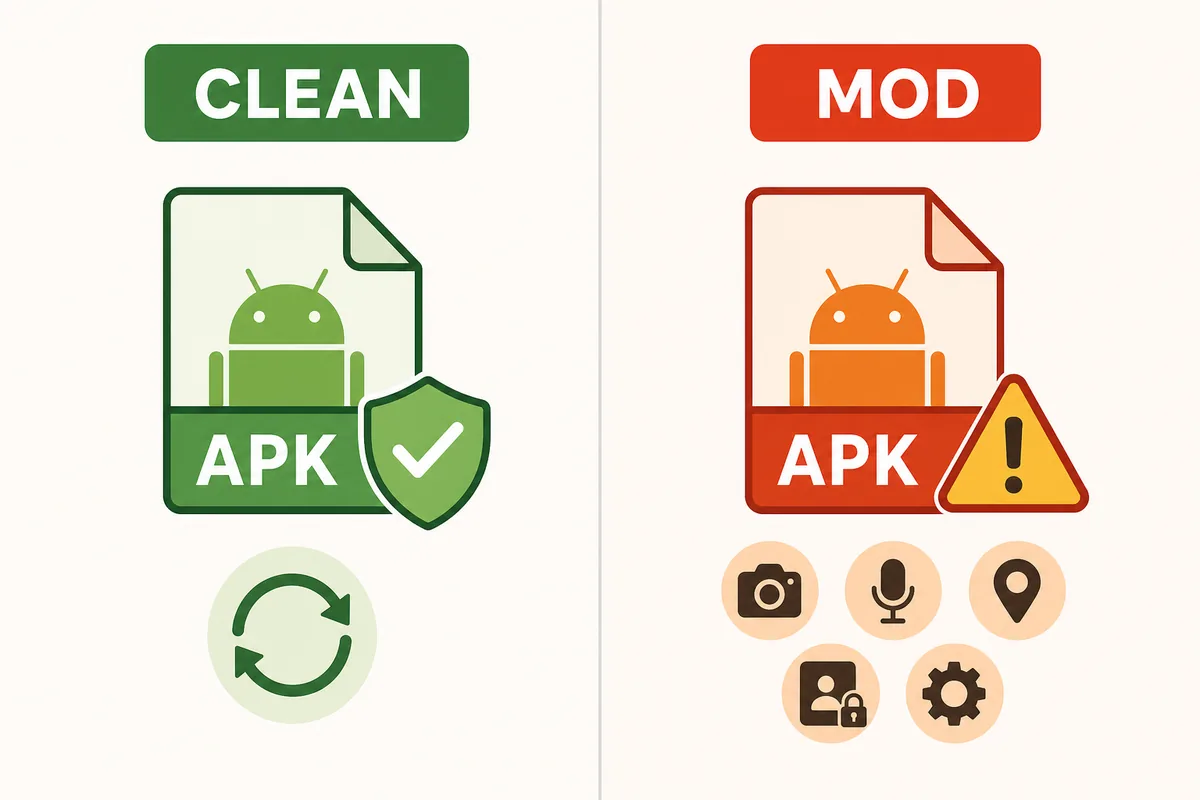
| 판단 항목 | 클린 VidMate APK | VidMate MOD APK | 조치 |
|---|---|---|---|
| 파일 동일성 | 버전, 크기 및 설치 프로그램 라벨은 출처 페이지와 일치해야 합니다 | 재포장 후 라벨이 변경될 수 있습니다 | 설치 전에 비교 |
| 업데이트 경로 | 향후 업데이트를 더 쉽게 판단할 수 있습니다 | 업데이트가 실패하거나 관련 없는 미러에서 제공될 수 있습니다 | 예측 가능한 업데이트가 필요하다면 피하세요 |
| 권한 | 다운로더 권한은 눈에 보이는 기능과 일치해야 합니다 | 추가 권한이 더해지거나 특정 주장 뒤에 숨겨질 수 있습니다 | 요청이 관련 없어 보이면 거부하거나 제거하세요 |
| 광고 없음 약속 | 광고나 안내 문구는 일반적인 앱 동작의 일부입니다 | 광고 제거에는 코드 변경이 필요할 수 있습니다 | 광고 없음을 안전성의 이점으로 보지 마세요 |
VidMate 광고 없음 및 프리미엄 APK 페이지의 위험 신호
위험한 APK 페이지는 대개 같은 패턴을 보입니다. 강한 혜택 문구를 먼저 보여주고 파일 세부 정보 전에 다운로드 버튼을 배치합니다. 프리미엄 잠금 해제, 광고 없음 무료, 크랙, 패치, anti-ban을 약속하면서 버전과 출처를 설명하지 않는다면 편리함보다 위험이 큽니다.
호환성 주장도 살펴보세요. MOD 페이지는 실제로는 최신 APK, 구버전, PC 에뮬레이터 가이드, iPhone 답변이 필요한 사용자까지 끌어들이려 할 수 있습니다. 하나의 수정 파일로 모든 의도를 해결한다고 말하는 페이지는 실제 문제와 맞지 않는 경우가 많습니다.
- Play Protect나 모든 바이러스 백신 검사를 꺼야 한다고 말하는 페이지를 피하세요.
- VidMate보다 먼저 다운로더, 클리너, VPN 또는 관련 없는 앱을 설치하는 APK 번들을 피하세요.
- 패키지 이름, 설치 프로그램 라벨, 버전 또는 크기가 페이지와 일치하지 않는 파일을 피하세요.
- Android APK를 iPhone에 직접 설치하거나 App Store 앱을 대체할 수 있다는 주장을 피하세요.
- 충돌, 과도한 광고 또는 예상하지 못한 권한 요청이 보고된 댓글과 미러를 피하세요.
설치 전 더 안전한 결정 흐름
모든 APK에 같은 네 가지 확인을 적용하세요. 출처, 파일 정체성, 스캔 신호, 권한 검토입니다. 하나라도 실패하면 다른 미러를 믿어서 보완하지 말고 실제 목적에 맞는 페이지로 돌아가세요.
예를 들어 광고 때문에 VidMate MOD APK를 찾았다면, 더 안전한 선택이 반드시 광고 없는 APK인 것은 아닙니다. 현재의 깨끗한 APK를 사용하거나 Android 알림 설정을 조정하거나 합법적인 다른 방식을 선택하는 편이 나을 수 있습니다. 최신 버전이 기기에서 작동하지 않는다면 MOD 패키지보다 구버전 가이드가 더 적합합니다.
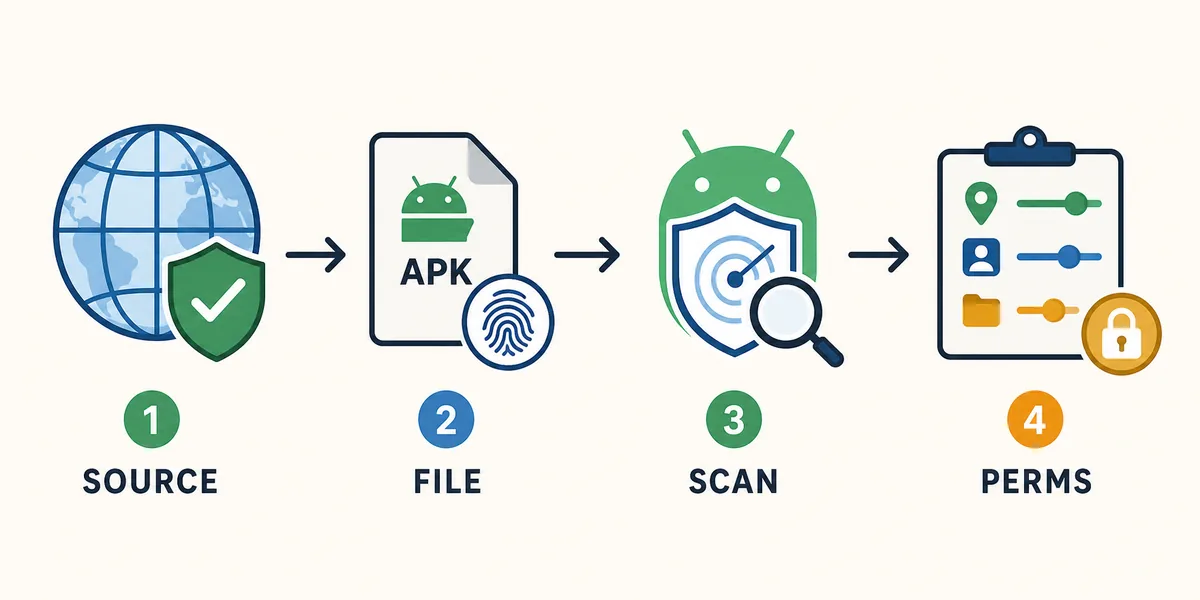
출처 확인
페이지에는 버전, 파일 크기, Android 요구 사항 및 이 APK가 제공되는 이유가 설명되어야 합니다.
파일 동일성 확인
파일 이름, 설치 프로그램 라벨, 패키지 동작 및 페이지 설명이 일치해야 합니다.
Android 경고 존중
특히 변조된 APK 주장과 관련해서는 Play Protect와 브라우저 보안 경고를 켜 두세요.
권한을 신중하게 검토
다운로더 관련 권한은 연락처, SMS, 접근성 또는 기기 관리자 접근보다 설명하기 쉽습니다.
VidMate MOD APK의 더 나은 대안
가장 좋은 대안은 MOD를 찾은 이유에 따라 달라집니다. 현재 앱이 필요하면 기본 APK 페이지를 사용하세요. Google Play 검색에서 혼란스러웠다면 Play Store 가이드를 보세요. 오래된 휴대전화에서 롤백이 필요하다면 구버전 가이드를 사용하세요. 5.3602 같은 특정 버전 번호가 중요하다면 무작위 패치 파일 대신 해당 버전 가이드를 확인하세요.
이 경로를 분리하면 두 가지 실수를 줄일 수 있습니다. 깨끗한 APK로 충분한데 수정 파일을 설치하는 것, 그리고 실제 질문이 호환성이나 안전성인데 임의의 구버전을 사용하는 것입니다.
| 실제 필요 | 사용할 더 나은 페이지 | 더 안전한 이유 |
|---|---|---|
| 현재 Android APK 설치 | VidMate APK 다운로드 페이지 | 일반적인 최신 버전 사용 목적에서 시작합니다 |
| Google Play에서 VidMate를 찾을 수 없음 | VidMate APK Play 스토어 가이드 | 스토어 혼란과 사이드로드 확인 방법을 설명합니다 |
| 오래된 휴대전화에서 롤백이 필요함 | VidMate APK 구버전 가이드 | 호환성과 MOD 주장을 구분합니다 |
| 5.3602 빌드가 필요함 | VidMate 5.3602 가이드 | 버전 동일성과 설치 확인에 초점을 둡니다 |
| VidMate가 안전한지 확신할 수 없음 | VidMate는 안전한가요? 가이드 | 권한, 출처 신뢰도 및 경고를 검토합니다 |
이미 VidMate MOD APK를 설치했다면
이미 수정된 APK를 설치했고 이상한 점이 있다면 먼저 위험을 줄이세요. 새 권한을 더 이상 허용하지 말고 Android 설정에서 앱 권한을 확인하며, 예상치 못한 동작이 보이면 제거하세요. 그런 다음 Play Protect나 신뢰할 수 있는 모바일 보안 도구로 기기를 검사하세요.
곧바로 다른 임의의 MOD를 설치하지 마세요. 같은 위험을 반복하는 경우가 많습니다. 목표를 다시 확인하고 이 사이트의 알맞은 가이드를 선택한 뒤, 출처와 Android 경고가 납득될 때만 깨끗한 APK 경로를 사용하세요.
- Android 설정에서 비정상적인 권한을 확인하고 취소하세요.
- 과도한 광고, 알 수 없는 알림 또는 설명할 수 없는 안내가 표시되면 변조된 앱을 제거하세요.
- Play Protect 또는 신뢰할 수 있는 모바일 보안 검사를 실행하세요.
- 제거한 후 알 수 없는 미러에서 받은 APK 파일을 삭제하세요.
- 명확한 버전 및 파일 정보를 제공하는 출처에서만 다시 설치하세요.
공식 안전 참고 자료
이 Android 및 Google 공식 자료는 앱 검사와 알 수 없는 출처의 설치 제어를 설명합니다.
관련 VidMate 안전 경로
VidMate MOD APK 자주 묻는 질문
요약
VidMate MOD APK 검색은 광고 없음, 프리미엄, 크랙, 패치 같은 약속으로 이어지는 경우가 많습니다. 바로 그 약속 때문에 더 조심해야 합니다. 더 안전한 설치는 명확한 출처, 일관된 파일 정체성, 활성화된 Android 스캔, 동영상 다운로더에 맞는 권한 확인에서 시작됩니다.
깨끗한 APK 경로 사용